
Travel itinerary app
A travel itinerary app that plans on the map.
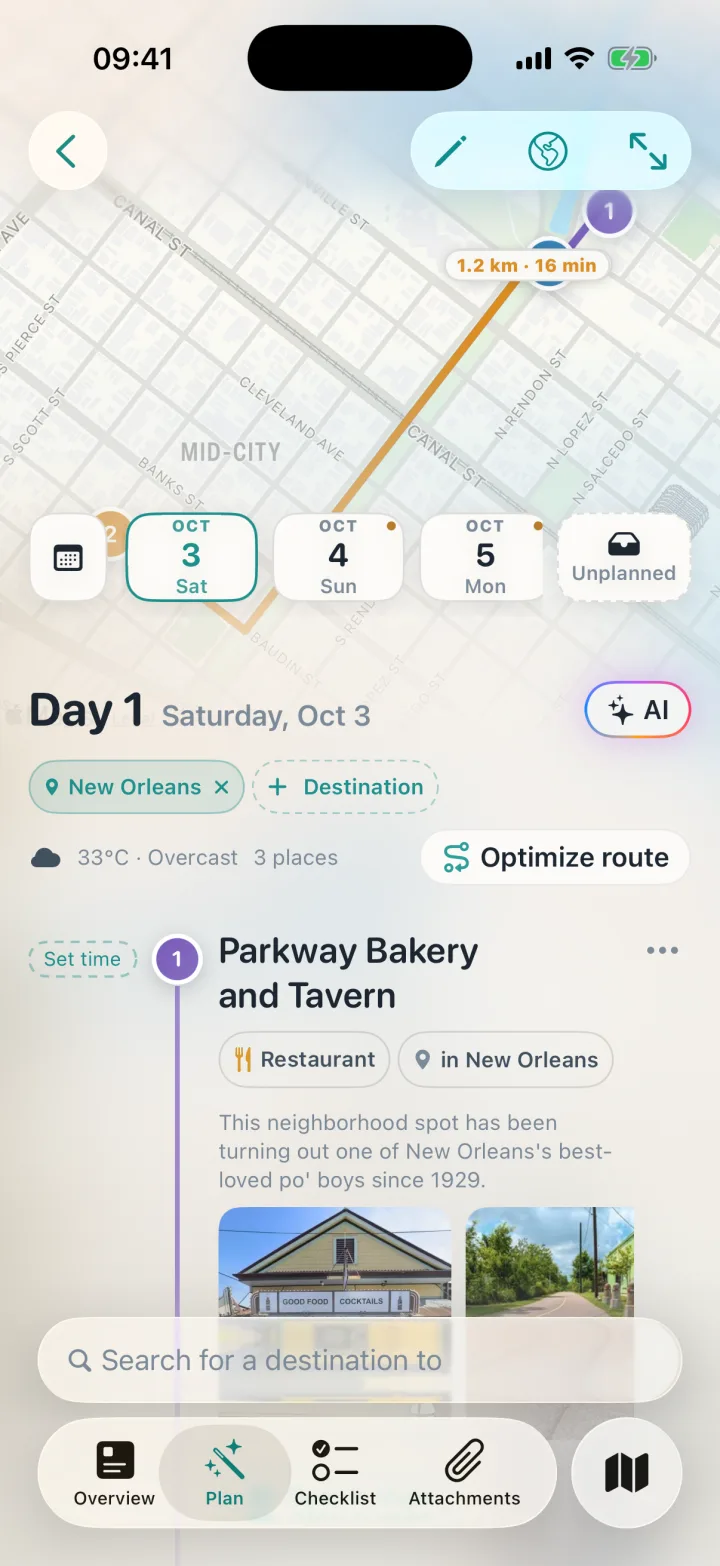
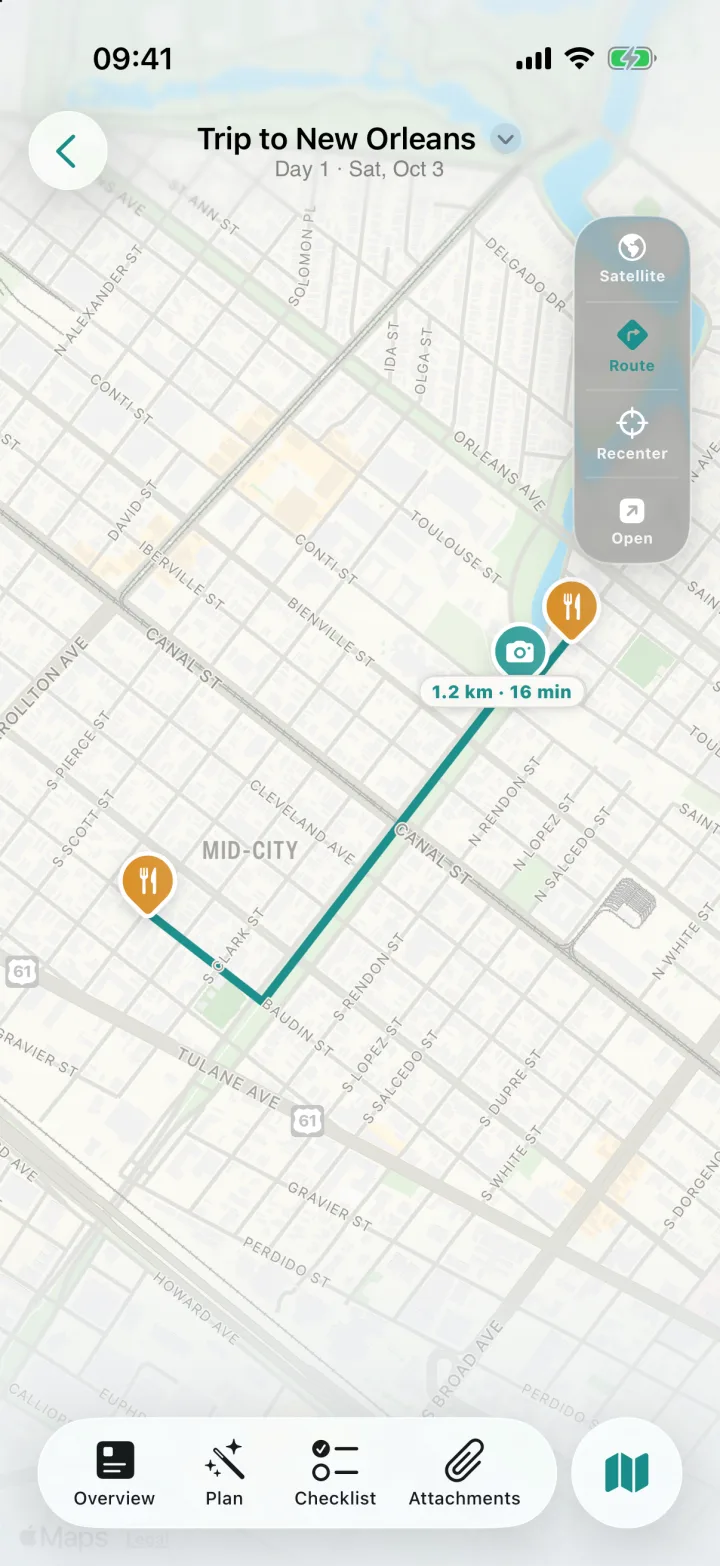
Journie turns a list of places into days you can actually walk. Every day of a trip gets its own map, its own order and the time it takes to get between stops.
Every day on its own map
Add places to a day and they line up on the map with a route between them. Each leg shows its distance and travel time, so a day that looks easy on paper does not turn into three hours of walking.
Drag stops to reorder them, or tap Optimize route and Journie puts them in a sensible order for you.
How to: explore →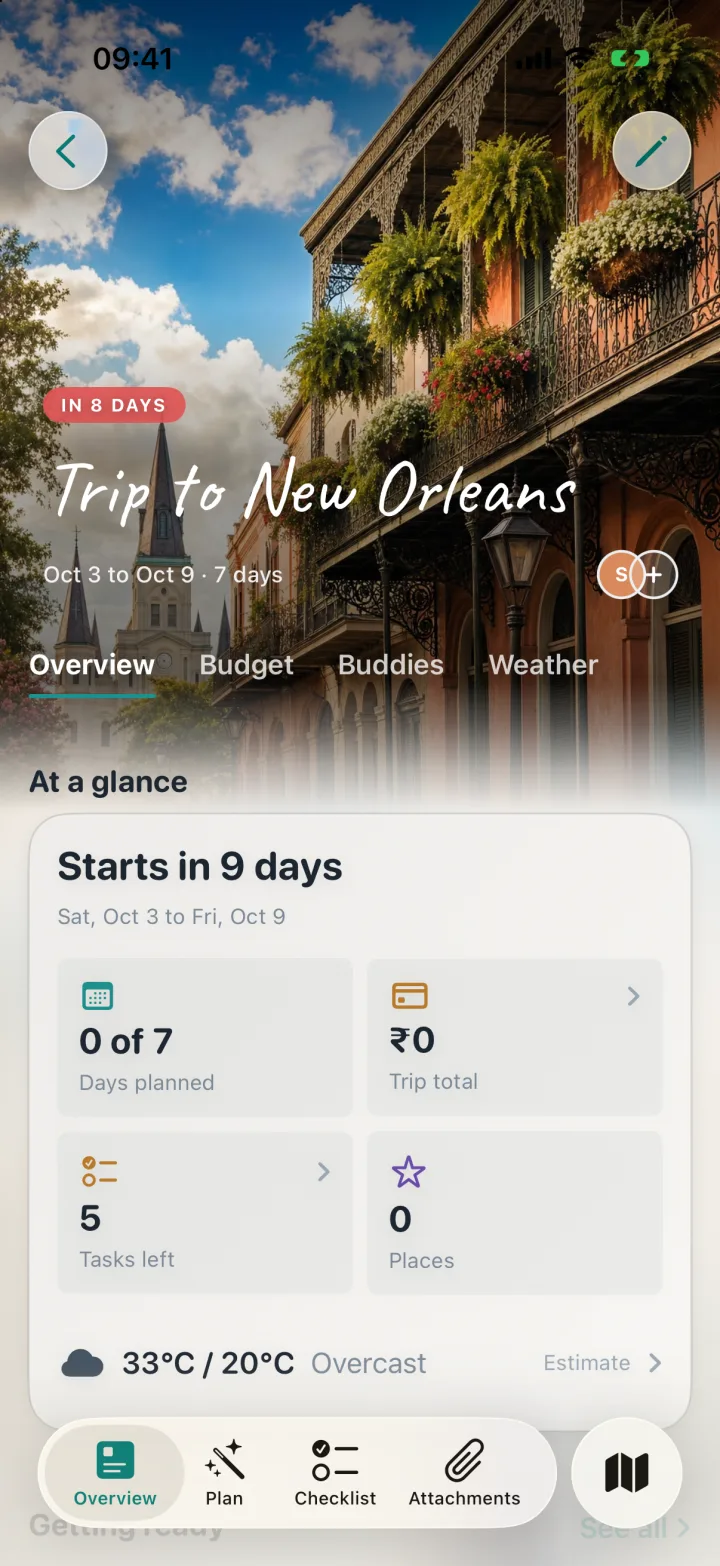
The whole trip in one workspace
A trip keeps its plan, budget, checklists, weather and documents together, with the days, budget, tasks and places at a glance on the overview.
- Trips with one city or several
- The weather forecast for the destination
- Checklists for documents, flights, stays, daily plans and packing
- A budget with category totals
Bring plans in, send plans out
Already started in Google My Maps? Paste the map link, or import a KML, KMZ or GPX file, and the places land in your trip. When the plan is ready, export it as a PDF, Markdown or HTML file, or add the days to your calendar.
How to: share a trip →Save places from anywhere
Found a café in a video? Paste an Instagram, TikTok or YouTube link and Journie suggests the places the caption mentions, ready to drop into a day.
How to: places from a link →Learn how
- Explore Ideas for where to go next, shaped by the places you save and like.
- Places from a link Turn an Instagram, TikTok or YouTube link into places for your trip.
- Share a trip Send a trip link, publish an itinerary, or export a PDF or calendar.
- Booking import Forward a booking email and it becomes a stop in your trip.
Questions
Is Journie's itinerary planner free?
Yes. Day-by-day plans on a map, route optimisation, checklists, budget and weather are all on the free Traveller plan, which keeps 3 trips active at once.
Can I export my itinerary?
Yes. Export a trip as a PDF, Markdown or HTML file, with or without booking codes, or add its days to your calendar.
Can I import a Google My Maps list?
Yes. Paste a Google My Maps link, or import a KML, KMZ or GPX file, and the places are added to your trip.
Does it work for multi-city trips?
Yes. A trip can have one destination or several, and each day keeps its own map and route.
Plan your next trip with Journie
Journie is free to download on the App Store for iPhone. The free Traveller plan keeps 3 trips active at once.